When someone needs a service, the first thing they do is open Google and search. "Makeup artist near me." "Wedding photographer in [their city]." "Yoga classes nearby." Google responds with a map and three local results before showing anything else. That's called the Local Pack, and every business that appears there gets clients who are ready to buy.
The Google Business Profile (formerly Google My Business) is the free tool that puts you on that map. No code required, no website needed, and no cost. What it does require is 15 minutes and knowing what to do. This guide walks you through every step.
- Google Business Profile is completely free and works for businesses with and without a physical location.
- Go to business.google.com, fill in your information, and verify with Google (video, phone, or postcard).
- A complete profile with photos, hours, and a description ranks higher than an incomplete one.
- The next step is adding a booking link so clients can take action directly from your profile.
Why Google Maps matters more than Instagram for getting clients
Instagram is good for building an audience. Google Maps is where people buy. The difference is intent: someone who searches "barber near me" is ready to go. Someone who sees an Instagram post might like it and keep scrolling.
On top of that, 46% of all Google searches have local intent. That means nearly half the time someone opens Google, they're looking for something near them. If your business doesn't have an active profile, you don't exist for those searches.
93% of local searches trigger the Local Pack — the three highlighted businesses on the map. No paid ad can occupy that top organic spot when the client already knows what they want.
How businesses appear in Google Maps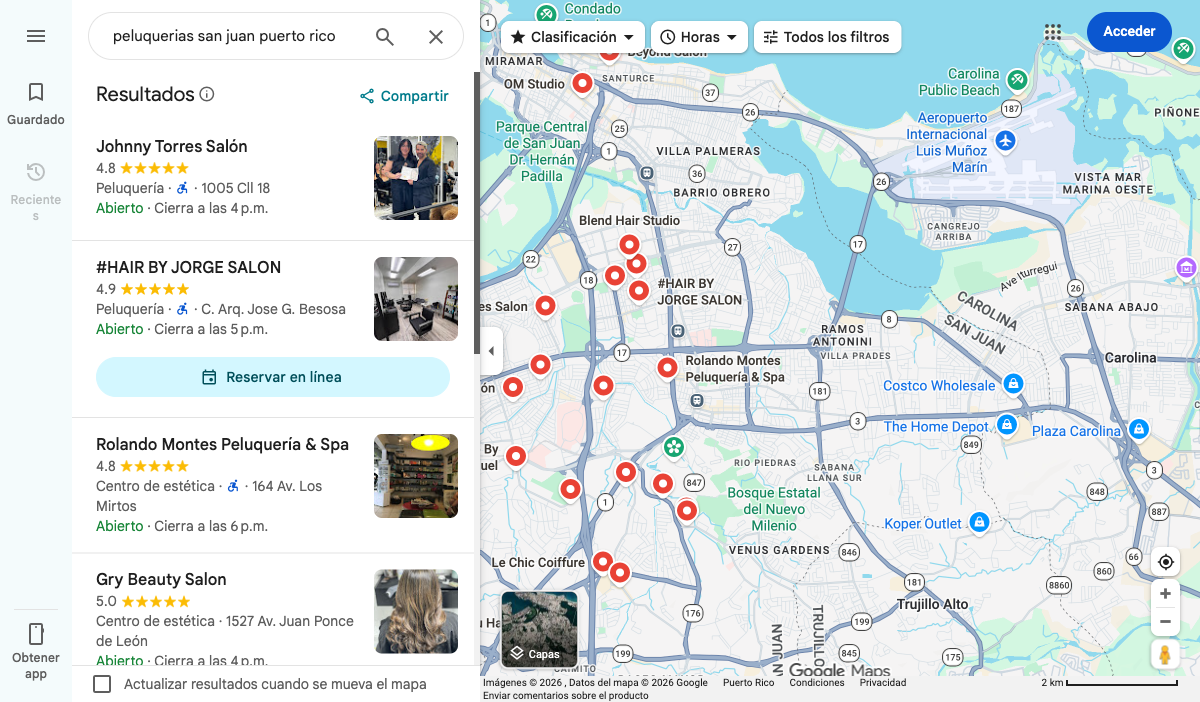
Who can create a Google Business Profile
Any business that has direct contact with customers can create a profile. That includes:
- Businesses with a physical location (salon, yoga studio, photography studio)
- Mobile businesses (makeup artists, massage therapists, personal trainers who go to clients)
- Freelancers and solopreneurs who work virtually or in multiple places
- Businesses that have a location but also offer mobile services
No physical address? No problem. In the setup you define a service area — the city or region where you work — and your exact address stays hidden from the public. The profile still shows up on the map.
How to create your Google Business Profile: step by step
Step 1 — Go to business.google.com
Open business.google.com in your browser. You'll see the Google Business Profile homepage. Click Manage now.
Homepage: Google Business Profile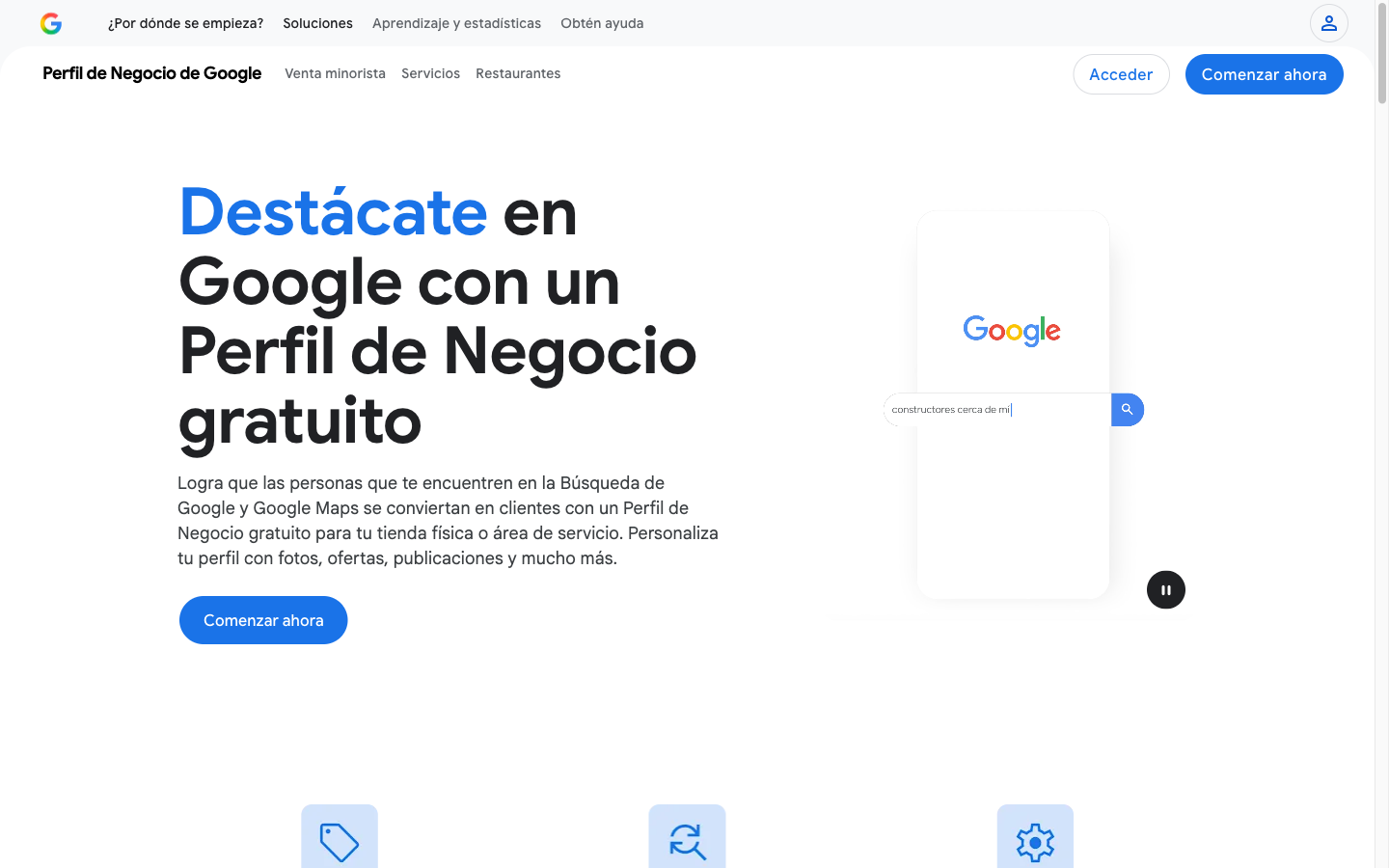
If you're not signed into your Google account, Google will ask you to log in. Use the Gmail account you want associated with your business profile. If you don't have one, you can create it for free at that point.
Step: Sign in with your Gmail account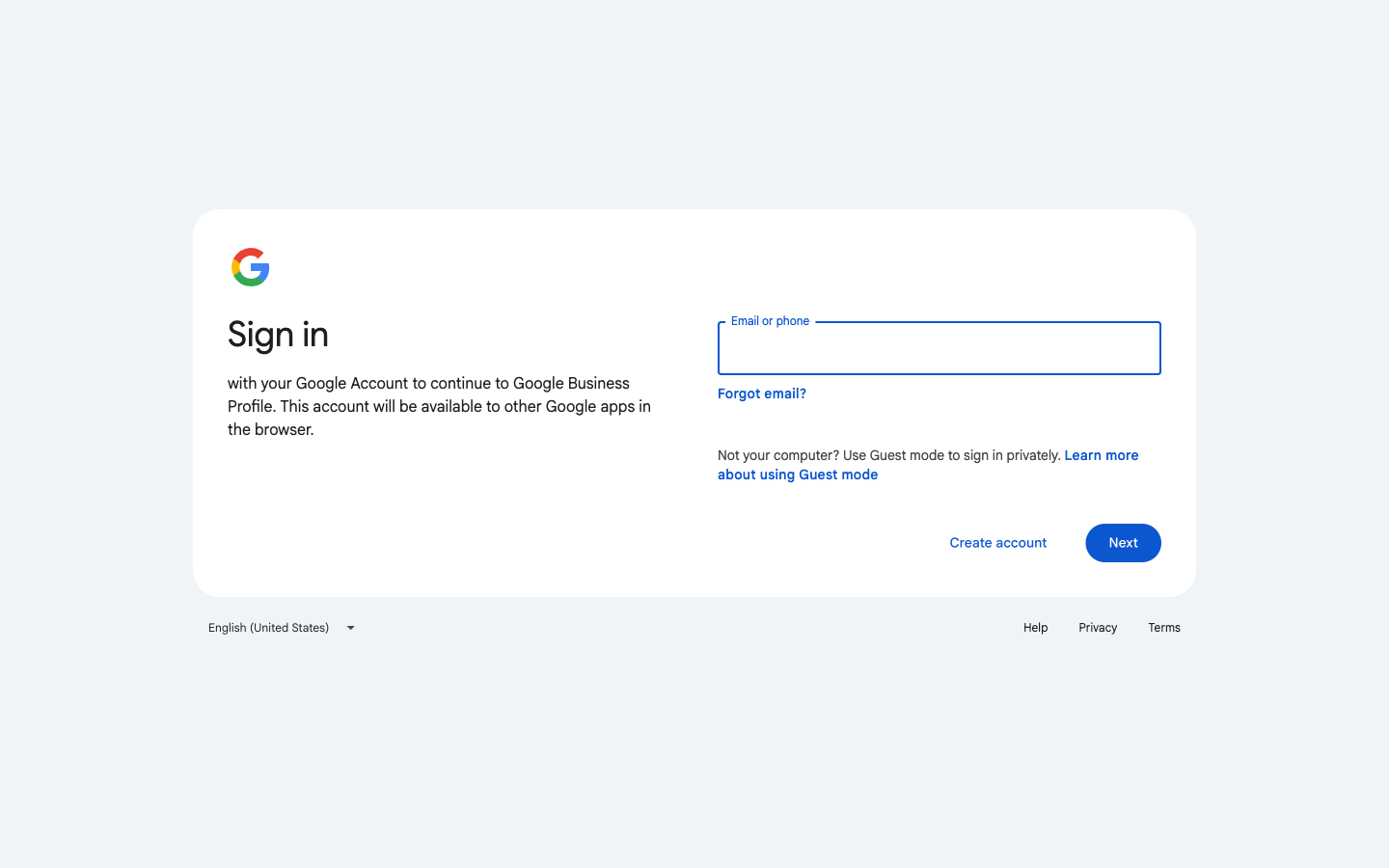
Step 2 — Add your business name and category
Google asks for your business name. Type it exactly as you want it to appear in Maps. If your business already exists in Google (someone added it before), it will appear in a dropdown so you can claim it.
Then you choose your primary category. This is the most important decision in the entire setup, because it determines which searches Google shows you in. Be specific: "Barbershop" is better than "Beauty" if what you do is haircuts. "Personal Trainer" is better than "Fitness" if you work with individuals one-on-one.
Step 3 — Set your address or service area
Google asks if you want to add a physical address. If you have a location, enter it. If you don't have a location or don't want your address public, select "I don't serve customers at this address."
You'll then define your service area: one or more cities, a region, or a broader area. For example, "Chicago, Illinois" or "Chicagoland area." Google will use that to show your business in relevant searches within that area.
You'll also add your phone number and website. If you don't have a website yet, leave that field blank and add it later.
Step 4 — Verify your business with Google
For your profile to appear in Maps, Google needs to confirm you own or represent the business. There are three main methods:
- Video (most common): Record a short video showing the outside or inside of your workspace, or your tools. Approved in 1 to 3 business days. This is the default method Google uses for most new profiles.
- Phone call or text: Google calls or sends a text to your business number with a verification code. If the phone is available, it's immediate.
- Postcard: Google mails a card with a code to your address. Can take up to 2 weeks. Only applies to businesses with a physical address.
While you wait for verification, your profile exists but doesn't appear in public searches. Once verified, it starts showing up in Google Maps and search results.
Step 5 — Complete your profile to 100%
A verified but empty profile ranks lower than a complete one. Google rewards complete information with higher visibility. Here's what to fill in:
- Business description: Max 750 characters. Explain what you do, who you serve, and what makes you different. Include the city or area where you work.
- Hours: The days and times you're available. Update them when they change, especially on holidays.
- Services: Add each service with a description and price range. These appear directly on your profile.
- Photos: At minimum: logo, cover photo, and one photo of your work. Businesses with photos receive significantly more clicks than those with none.
- Booking link: Add the direct link where clients can schedule with you. More on this at the end of the article.
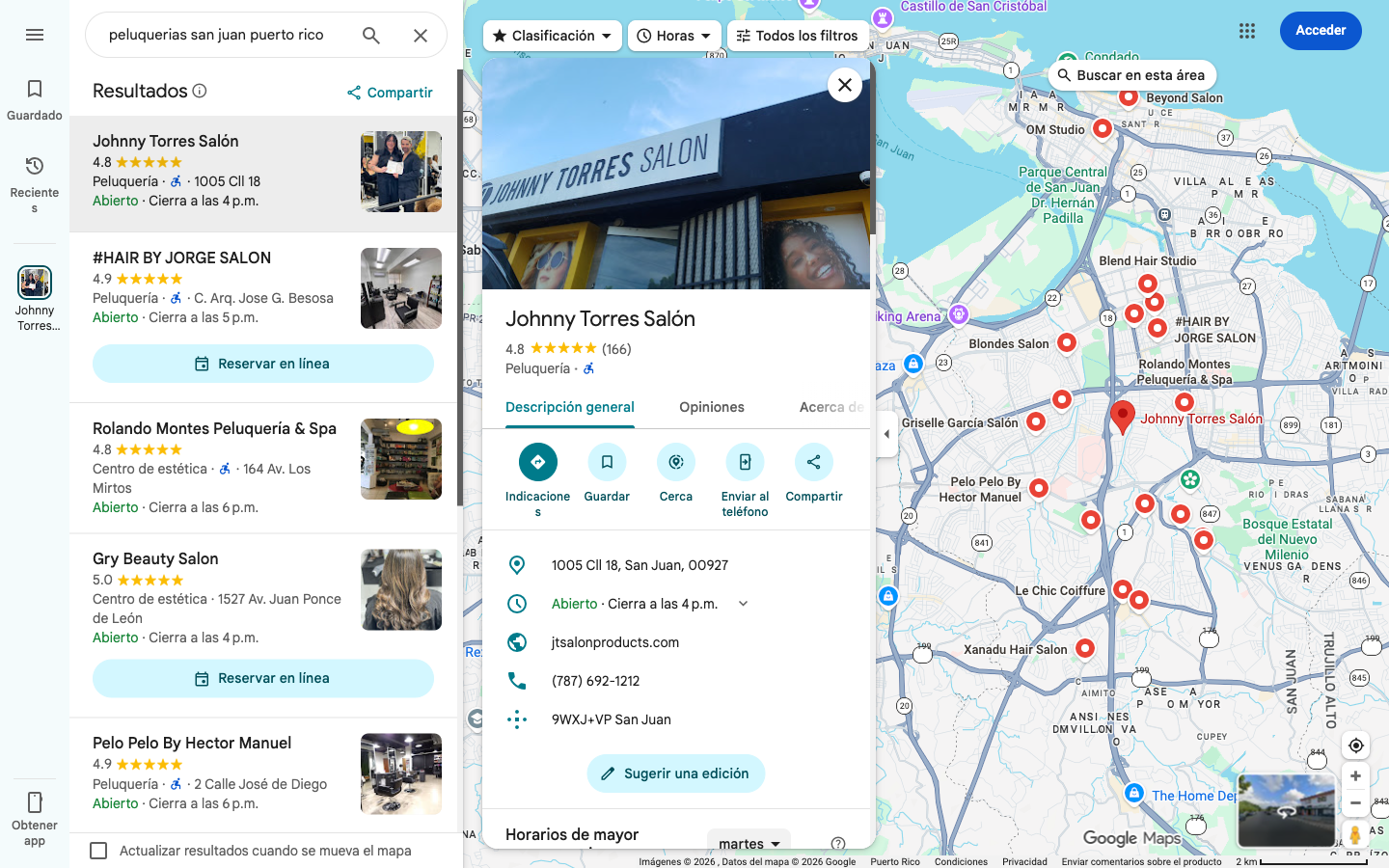
How to rank higher: what Google rewards
Creating the profile is step one. Optimizing it determines whether you appear in the Local Pack or on page two. Google uses three main factors to decide which businesses to show first:
- Relevance: Does your profile match what the user searched for? Your category, listed services, and the words in your description all matter here.
- Distance: How close is your business to the user? For mobile businesses, relevance and profile activity make up for distance.
- Prominence: How active and recognized is your profile? Reviews, number of photos, how often you post updates, and how many times people click on your profile all factor in.
The easiest thing you can do today to move up in results is ask your current clients for reviews. A rating of 4.5 stars or higher with several real reviews carries enormous weight. You don't need 100 reviews, but you do need more than zero.
Your profile also appears in regular Google search (not just Maps)
When someone searches your exact business name in Google, a large panel appears to the right of the results (or at the top on mobile) with all your information: photos, hours, phone number, address, reviews, and website link. That's called the Knowledge Panel, and no paid ad can occupy that space.
How your business appears in Google Search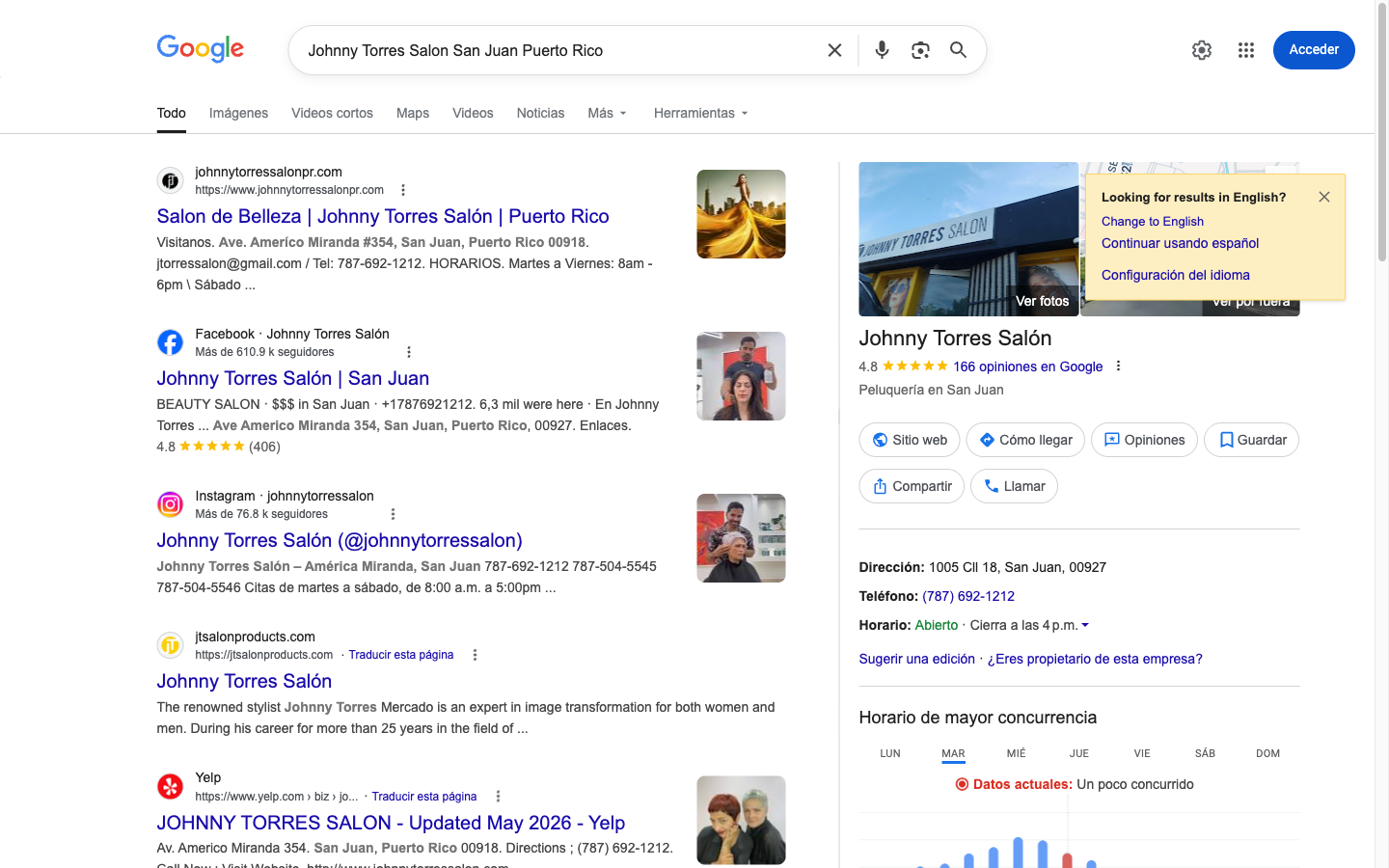
This means every time a current client mentions your business name to someone else, that person can search for you on Google and find all your information in seconds. The profile does the work of introducing you without any effort on your part.
The step most people skip: turning a search into action
Appearing on Google Maps solves the visibility problem. But there's a second problem most people don't solve: once a client finds you, what do they do next?
If the only contact in your profile is a WhatsApp number, the client has to message you, wait for a response, ask about availability, coordinate a time, and go through the whole manual process you already know. Some people do that work. Many don't. And the ones who do will go to the competition if you're slow to respond.
The solution is simple: add a link to your profile where clients can take action on their own, without needing you to be available at that moment.
You can start with a booking page: the client arrives, sees your availability, picks a date and time, and confirms. The appointment is in your calendar without a single message. But Puny.bz is much more than that.
Puny is an all-in-one tool for service businesses. From one account you can create:
- Booking page — so clients schedule themselves with your real-time availability
- Service catalog — with photos, descriptions, and prices so clients know what you offer before contacting you
- Payment link — to collect payment upfront via credit card, debit card, or ATH Móvil
- Portfolio — to showcase your work and build trust from the first click
- Forms — to capture leads, qualify clients, or gather information before an appointment
All of it available from one link that you put in your Google profile, your Instagram bio, your email signature, or wherever you want. The client opens that link and has everything they need to decide and act without having to ask you anything.
That link in your Google profile closes the full loop: client searches, finds your profile, clicks, and converts. No back-and-forth, no waiting for responses, no depending on you being glued to your phone.
Frequently asked questions
How much does it cost to appear on Google Maps?
Appearing on Google Maps is completely free. The Google Business Profile has no cost whatsoever. All you need is a Gmail account and a few minutes to set it up. Google does not charge for organic visibility in Maps.
How long does Google verification take?
It depends on the method you choose. Video verification (the most common for new profiles today) takes 1 to 3 business days. Phone call or text verification can be immediate. Postcard verification can take up to 2 weeks. Once verified, your profile starts appearing in search results within 24 to 48 hours.
Can I appear on Google Maps without a physical address?
Yes. Google allows profiles for businesses that operate mobile, virtually, or across multiple locations. Instead of entering a physical address, you define the service area — the city or region where you work. Your exact address stays hidden from the public and your business still shows up on the map.
What if someone already created a profile with my business name?
You can claim it. Search for your business in Google Maps, open the profile, and select "Claim this business." Google will walk you through a verification process to transfer control of the profile to you. This is common with businesses that have been operating for a while but never officially created their profile.
How do I turn a Google Maps search into a real client?
Add a link to your digital presence in the "Website" or "Book" field of your Google Business Profile. With Puny.bz you get a booking page, service catalog, payment option, and more in one single link. The client goes from finding you on Google to booking, viewing your work, or paying you without sending a single message.
Start today: you already have everything you need
A Google Business Profile is probably the highest-return action you can take today to get more clients. It's free, takes less than 15 minutes to set up, and once it's active it works for you without requiring any ongoing effort.
The only real cost is not having one. Every day your business doesn't appear in Google Maps is a day when clients searching for you find someone else instead.
Create your Business Profile at business.google.com. Then, once your profile is live, connect it to your full digital presence with Puny.bz: bookings, catalog, payments, and more — all in one link.


